Sheet music app for congas: tumbao in a loop
For conga players in salsa, son and Latin jazz: playback, loop and setlist – for Apple and Android.

Play with the band, even when it isn't there
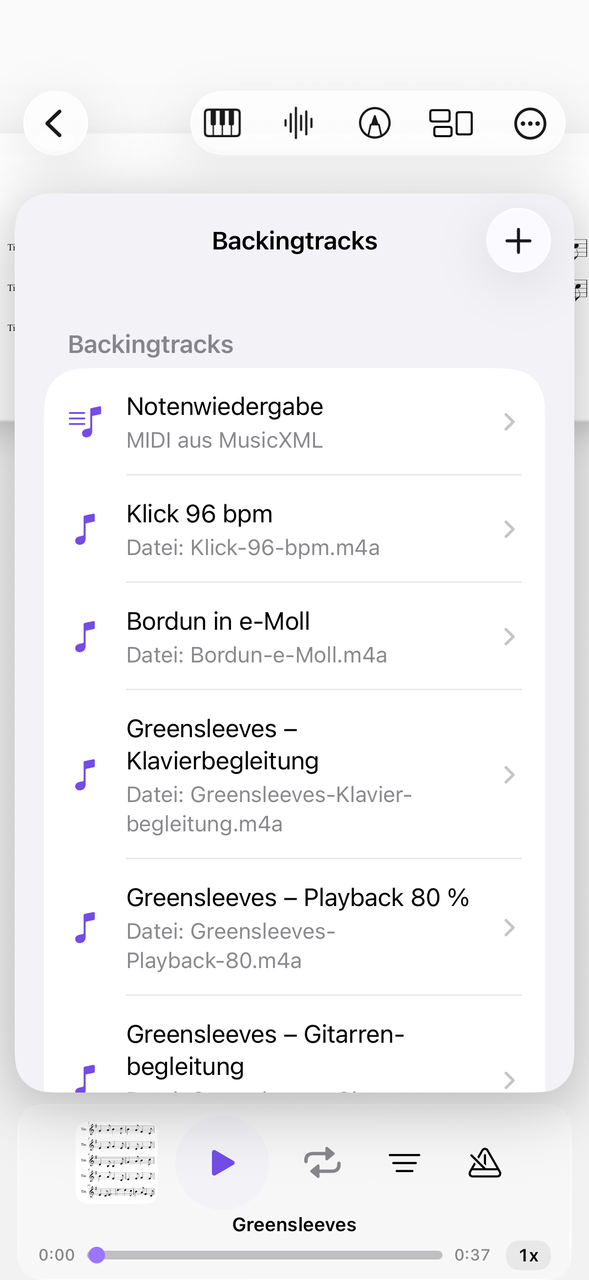
Attach audio to the piece.
Whether tumba, conga or quinto: conga players play in an ensemble, with bass, piano and horns. For home, you attach a salsa playback as an MP3 to the piece and play the tumbao along – with tempo and loop if you want to practice a piece at half tempo.
Playback can also be controlled from the lock screen and with the headphone buttons.
Practicing tumbao and clave changes
One section, as often as you like.
The tumbao is a simple basic pattern – it gets difficult when the clave switches from 3-2 to 2-3. Put that passage on a loop and play it until you no longer have to count. NovaNota remembers the loop range for each piece.
Rehearsals and performances at a glance
Meeting point, dress code, program.
Latin bands often meet only shortly before the gig. In the calendar you enter rehearsals, concerts and lessons with meeting point, dress code and program and get reminded. You can subscribe to and share calendars; the setlist with your pieces is attached right to it.
How to prepare a salsa piece
From playback to concert.
Set up the playback
Attach the playback to the piece and set the tempo to half at first.
Clave in a loop
Play the passage where the clave switches in a loop until it sits.
Build the setlist
Sort all the pieces of the evening in a setlist and turn pages by pedal at the gig.
Bongos and djembe are related. All percussion at a glance.
Everything for rehearsal and practice
NovaNota can do more – for your instrument as well as for the whole band, choir or orchestra.
Pen annotations
Fingerings, breath marks, chords: write straight onto the music with the pen – in PDF and MusicXML, with several colors and markers.
Turn pages with your foot
Bluetooth pedals are recognized right away, and a tap on the edge of the page turns it, too. Your hands stay on the instrument.
Metronome and A–B repeat
You set time signature and tempo right on the piece. You practice tricky bars as a loop – NovaNota remembers the range for every piece.
Record yourself
Record your practice right in the app and listen back to how your intonation and tone sound. The recording is automatically attached to the piece.
Rehearsals in the calendar
Orchestra rehearsals, concerts and lessons with meeting point, dress code and program. You can simply subscribe to the calendar of your orchestra, choir or band.
On all your devices
Your library stays up to date via iCloud (on Apple devices), NextCloud or Google Drive – on tablet, phone and Mac, Apple or Android.
Frequently asked questions
How are congas notated?
Usually on a one-line or two-line staff; the higher drum above, the lower one below. Open tones, slaps and bass strokes are marked with symbols. In NovaNota you import PDF, MusicXML or MIDI.
Can I record my tumbao?
Yes, you make your own recordings right in the app; they automatically belong to the piece.
What if the band has a different key or music?
With MusicXML and MIDI pieces you transpose each track separately in the player; for congas this is rarely necessary, but for the band's melody tracks it is.
Which devices does NovaNota run on?
On iPhone, iPad and Mac with Apple silicon, as well as on Android phones and tablets. There is a separate app for Apple Watch.
How much does the app cost?
Free for up to three pieces, with no time limit and no account. NovaNota Pro unlocks unlimited pieces and notation editing.
Try it with your own sheet music.
Free for up to three pieces, with no time limit and no account – for Apple and Android.