Your sheet music. Perfectly organized.
Solo, band, choir or lessons — NovaNota keeps your sheet music on iPad, iPhone and Mac. Manage PDFs and MusicXML, write your own notation, play along and loop the tricky passages.
Everything you need on stage.
For every practice, every rehearsal, every show.
Write & edit notation
Create new pieces with a setup assistant and enter notes via the on-screen keyboard or straight onto the staff. Lyrics, chord symbols, repeats and voltas, multiple tracks — and fix imported MusicXML while the original stays backed up.
Virtual instruments
Piano, kalimba, tin whistle, low whistle, classical and bass guitar below the score. During playback, keys, tines, fingerings or frets light up — for one track or all of them.
Tabs & tracks in the player
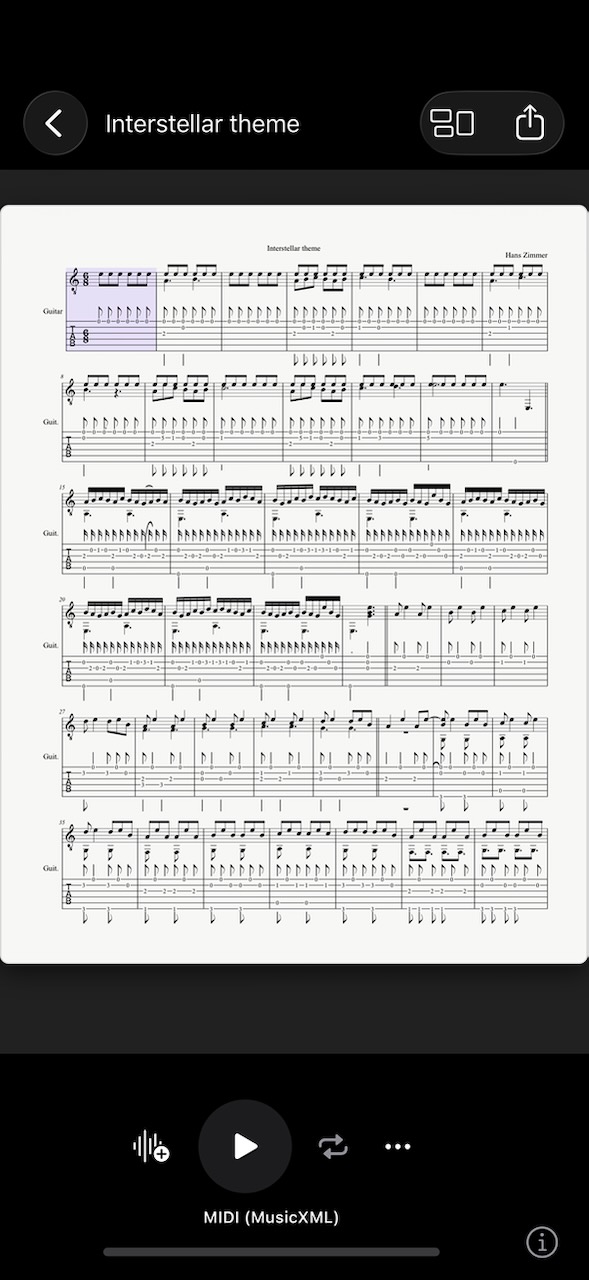
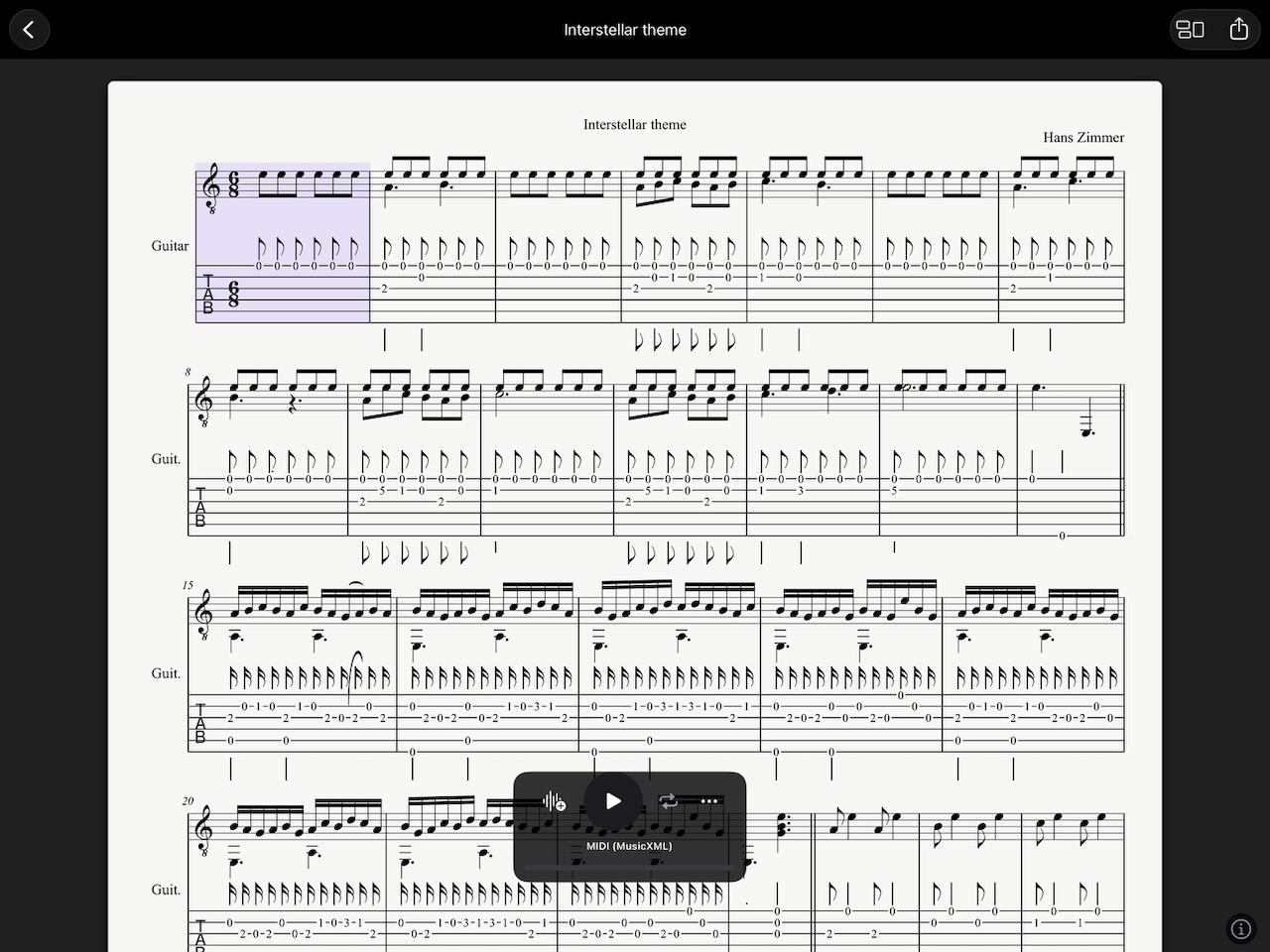
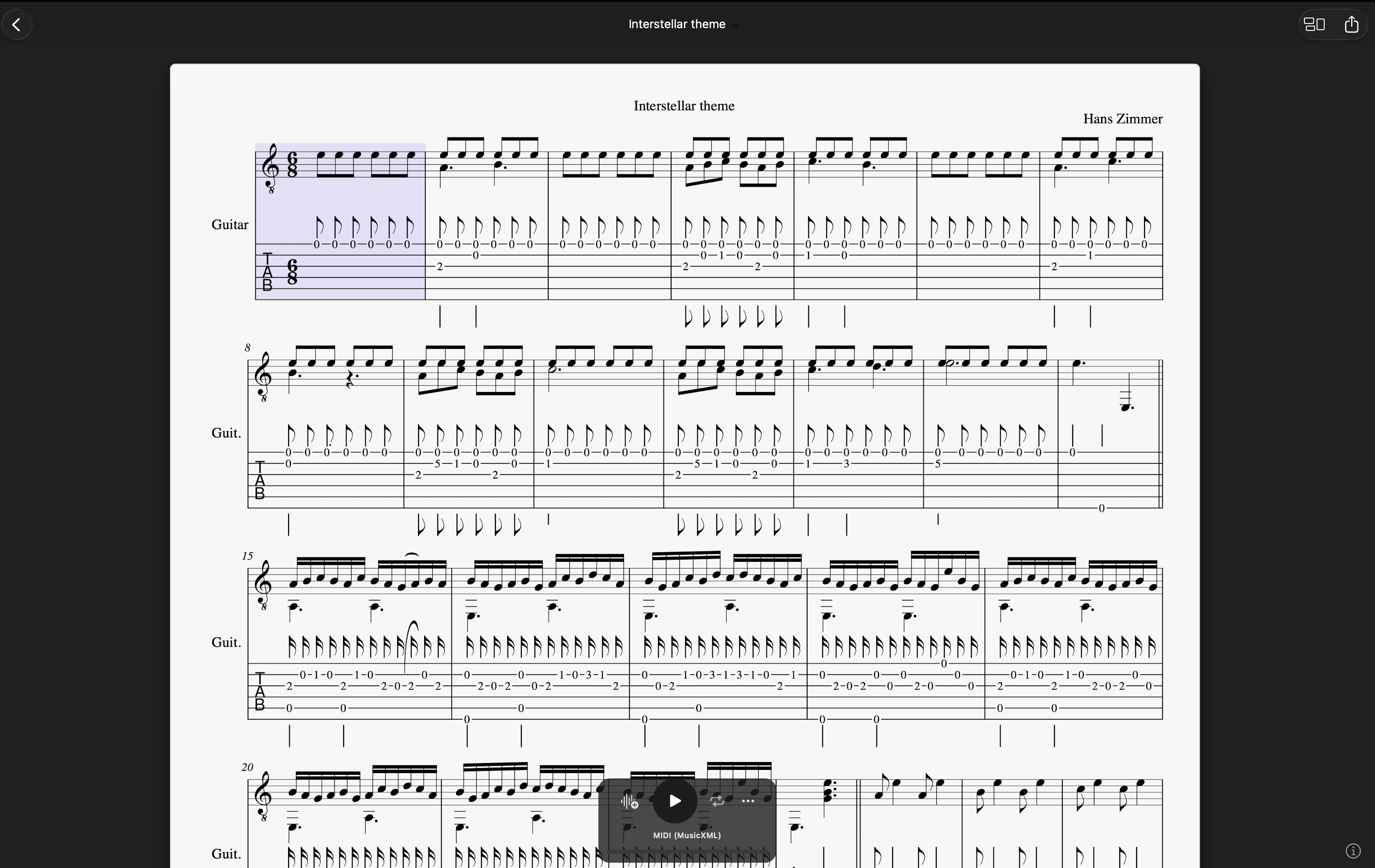
Note names or tabs for each track: kalimba numbers, whistle fingerings or real guitar and bass TAB. Volume, instrument, key and transposition are set right in the player.
A–B repeat
Tap the loop button twice, pick a start and end bar — the section repeats, highlighted in color. NovaNota remembers the range for every piece.
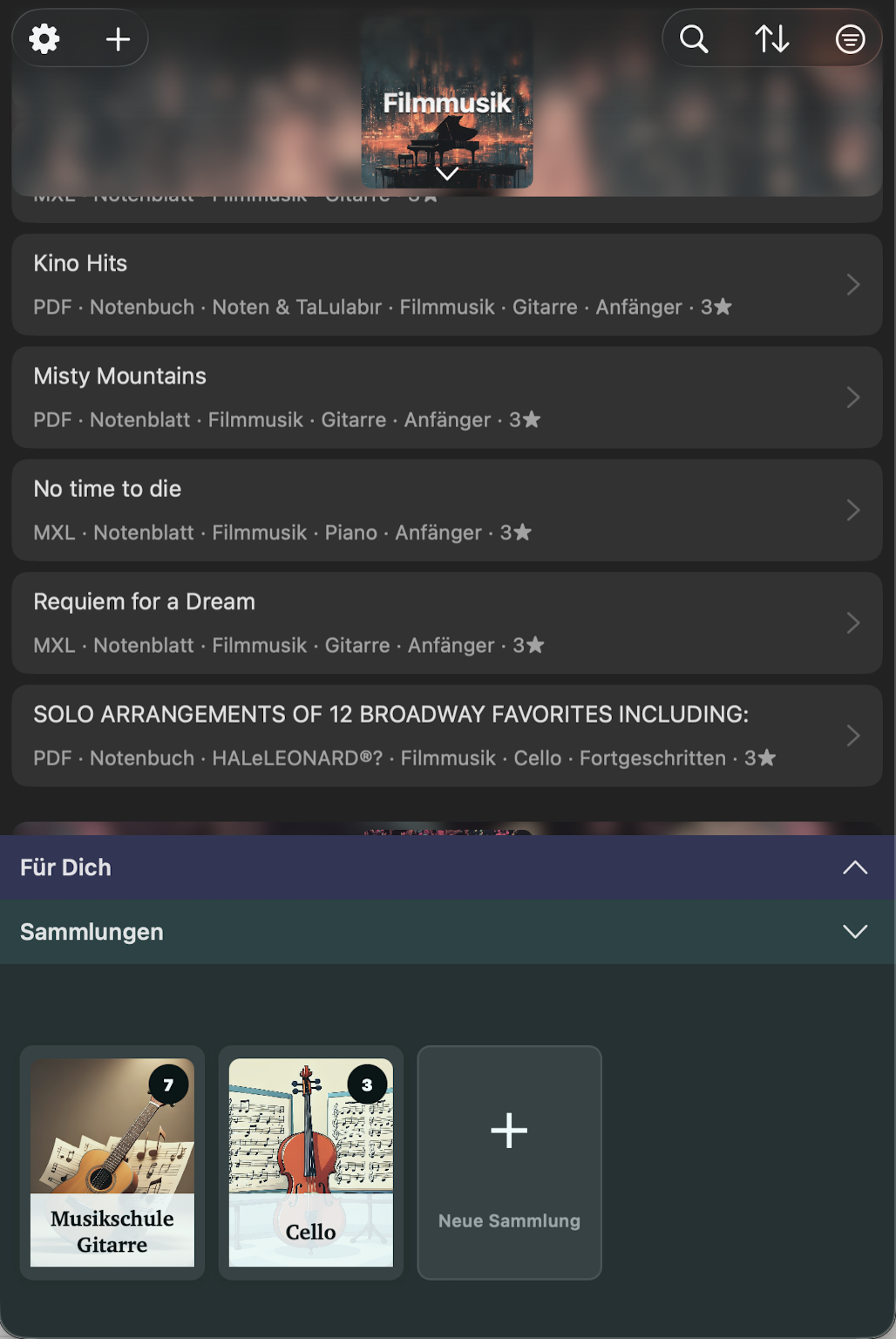
Manage PDF & MXL
Your own PDFs and MusicXML files in one place — sorted by title, composer or custom order, with collections, covers and fast search. Clean rendering with smooth page turns, zoom, portrait and landscape, table of contents and bookmarks.
iCloud, NextCloud & Google Drive
Your library always up to date on iPhone, iPad and Mac. You choose where your sheet music lives: iCloud, NextCloud or Google Drive — syncing runs automatically in the background.
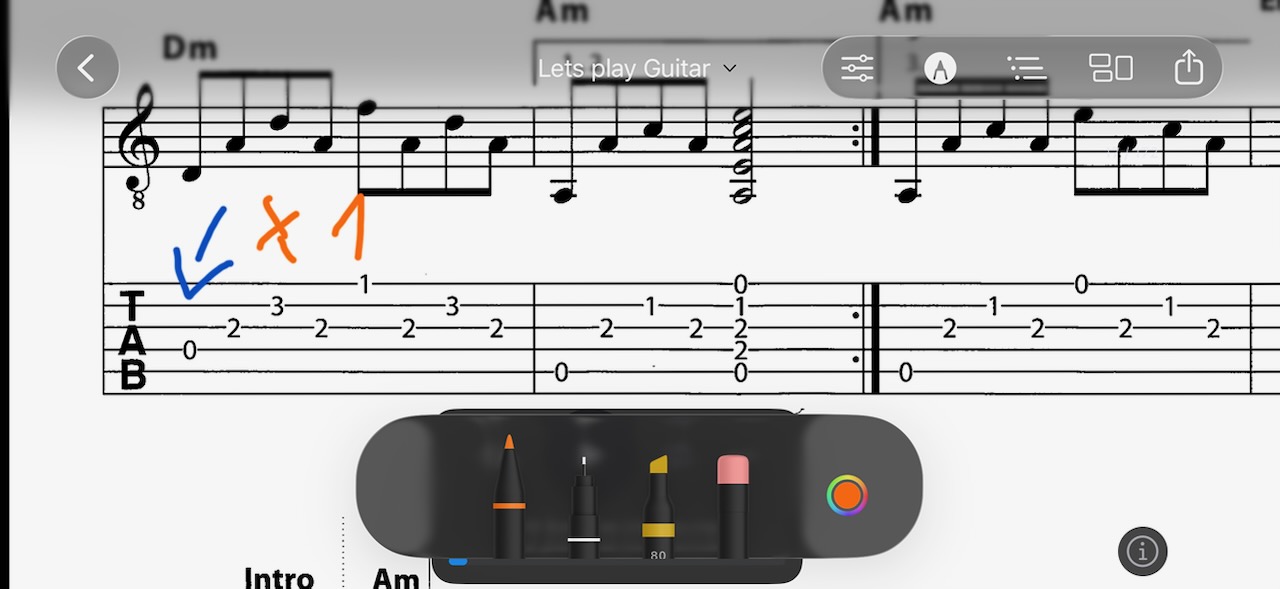
Annotate with the pen
Fingerings, breath marks, chords straight onto the page — in any file, PDF or MXL. Multiple pens, colors and markers. Stays put, exports printable.
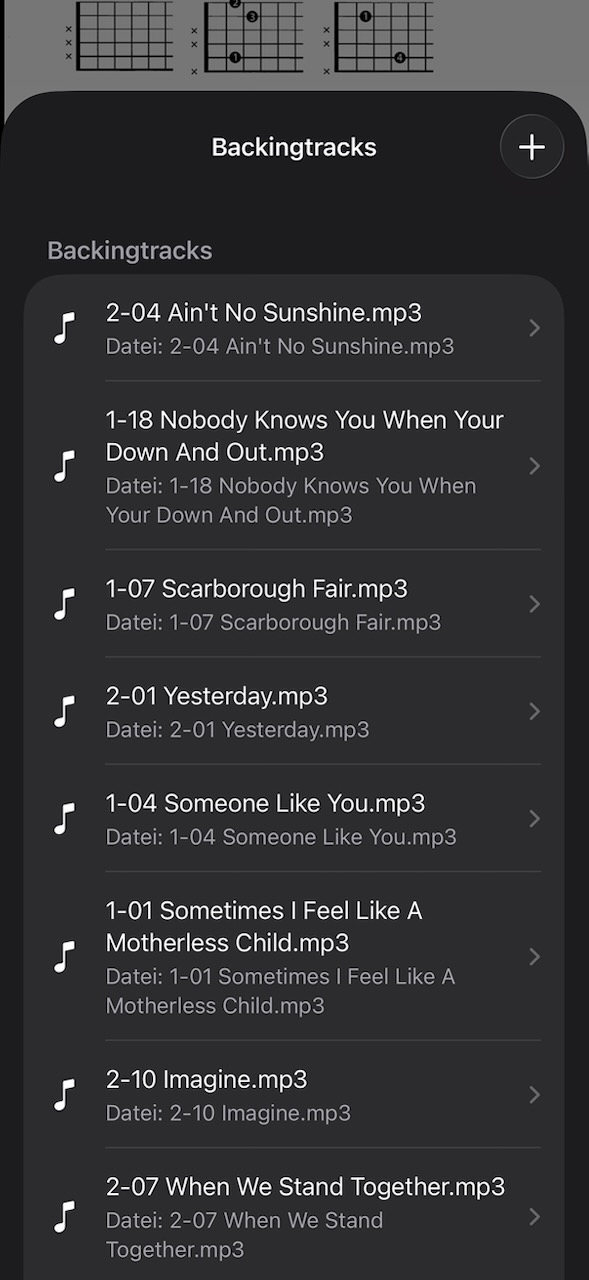
Import & play
Add audio backing tracks to a piece and play them along while you practice. Adjust tempo, loop range and volume any time.
Record your own
Record directly inside the app — as a practice take or as your own backing track. Auto-attached to the piece.
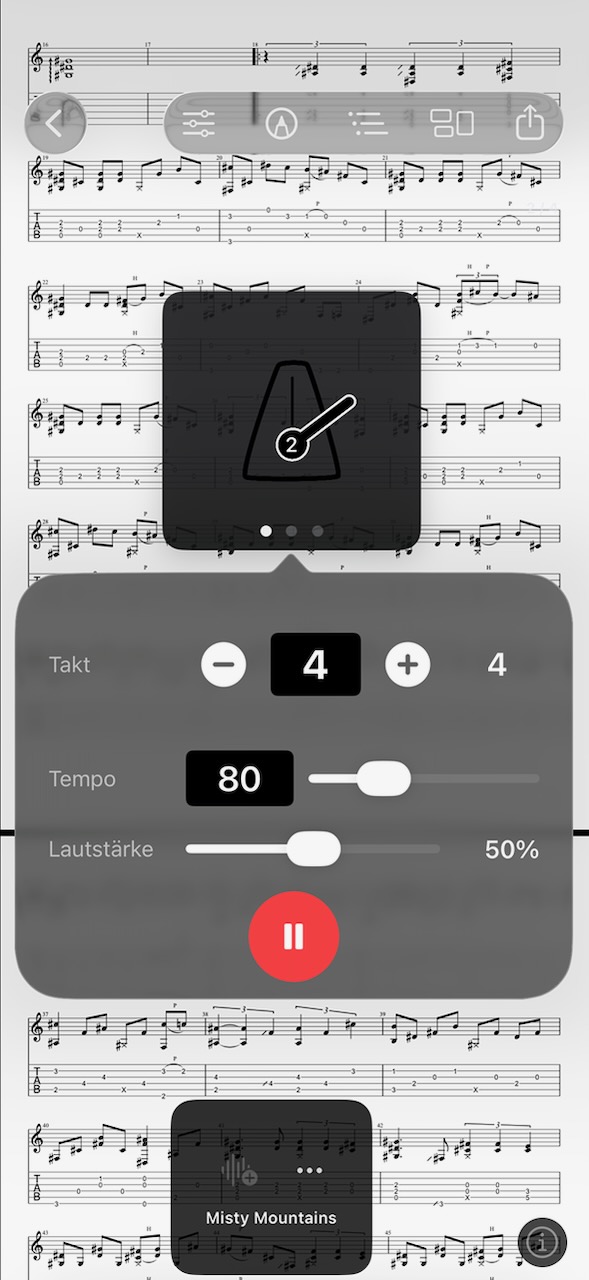
Metronome
Set time signature, tempo and volume right on the piece. Three different views — from classic pendulum to a stripped-down display — pick what fits the moment. On Apple Watch the beat runs as a haptic pulse on your wrist — no sound needed.
Tuner
Tune your instrument right in the app. Precise pitch detection with a cent-accurate readout, an adjustable concert pitch and a display you can read from the stage. Now for the kalimba, too.
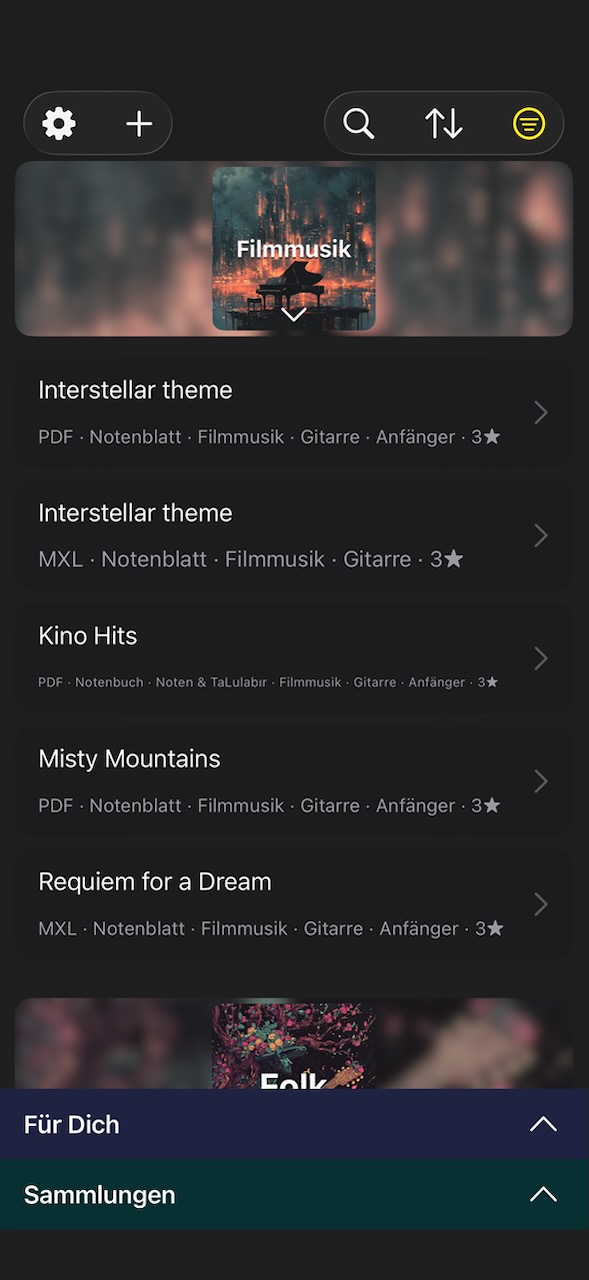
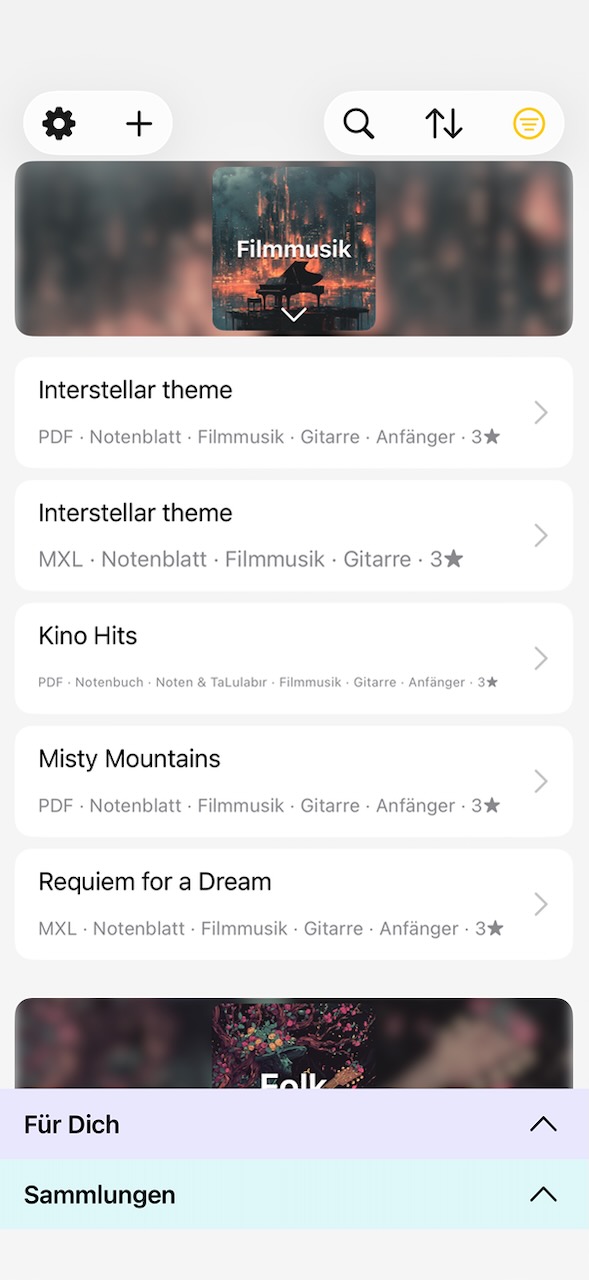
Dark & Light mode
Dark on stage, light at the desk — or the other way round. NovaNota adapts to your light: via toggle or automatically with the system.
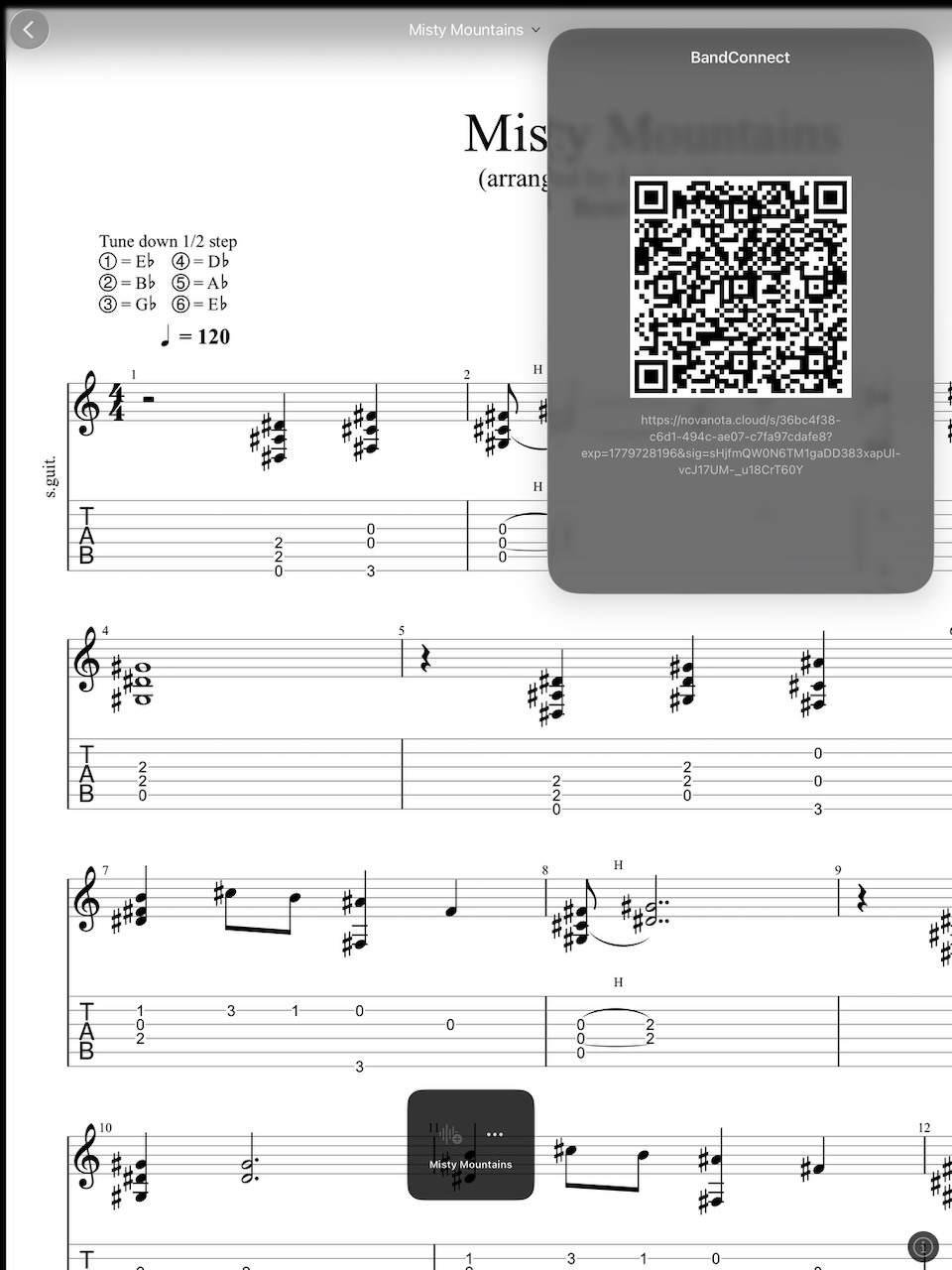
BandConnect
Share sheet music at rehearsal — no login required. Upload, show the QR code, everyone in the room scans along. Valid for 24 hours, then auto-deleted.
PDF → MXL
Automatically convert scanned sheet music into editable MXL files. Recognition runs via Audiveris on the NovaNota server — your file is deleted after 24 hours. Up to 3 conversions per 24 hours, subject to server load.
Just play. The app handles the rest.
Suggestions for what's next. Foot pedal to turn pages. The app remembers when you played what.
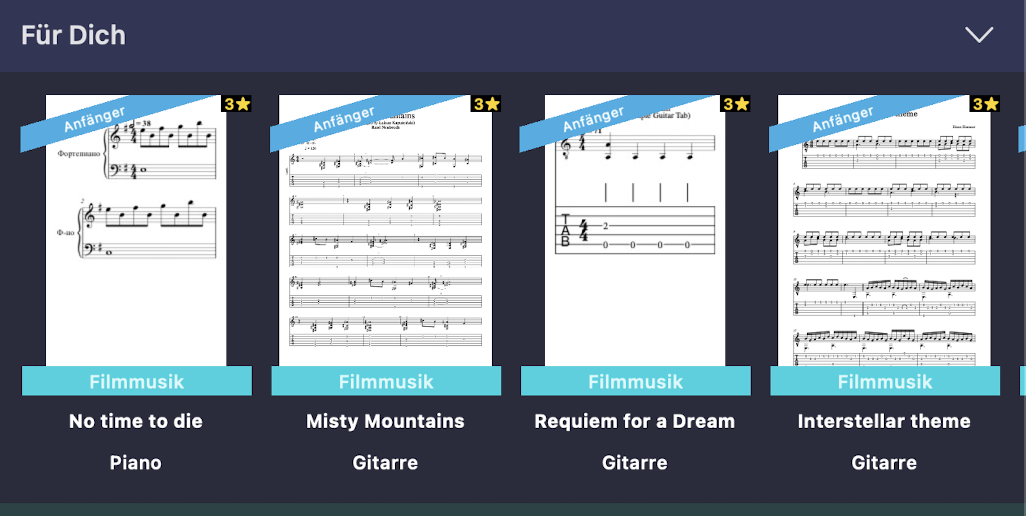
Practice suggestions
Which piece hasn't been touched in a while, which still feels shaky, what you might play today — suggestions based on your recent sessions.
Foot pedal support
Bluetooth pedals are recognized directly — one button to flip forward, one to flip back. Hands stay on the instrument.
Collections & setlists
Group pieces into your own collections, with cover art and custom order. Setlists for gigs, practice routines for daily work.
On every device. Even off the grid.
Your cloud of choice (iCloud / NextCloud / Google Drive) keeps iPhone, iPad and Mac in sync. Stored offline when you're on stage — automatically caught up when you're back online.
Try first. Unlock when you're ready.
Start free with up to three pieces — no account, no trial timer, no rush. When the app fits your workflow, unlock unlimited documents and notation editing with an in-app purchase.
- Up to 3 documents (PDF/MXL)
- PDF reader with zoom & bookmarks
- Apple Pencil annotations
- Collections & setlists
- Import & record backing tracks
- Virtual instruments to play along
- Tabs & note names per track
- Player with A–B repeat
- Kalimba tab import (up to 3 documents)
- Foot pedal support
- Metronome
- BandConnect sharing
- Practice suggestions
- iCloud sync across your devices
- Everything in Free
- Unlimited number of documents
- Notation editing: compose & correct
- PDF/image → MXL conversion (3× per 24 hrs, subject to server load)
No subscription. No account. Your sheet music stays yours, even if you don't open the app for a while.
Your data. Your instrument.
Local first
Your sheet music lives on your device. iCloud is optional, never required. No cloud lock-in.
Built for offline
Full functionality with zero connectivity. What you loaded yesterday plays on stage today.
Private by design
No tracking. No ads. No account required. As simple as a music stand.
Ready for the next rehearsal?
Get NovaNota on your iPad, iPhone or Mac and add your first piece in a minute.