Sheet music app for euphonium: C part or B♭ part
Brass band, wind orchestra and solo pieces on tablet, phone and Mac – for Apple and Android.

Two ways of writing, one instrument
Sounding in bass clef or transposing in treble clef.
The euphonium is pitched in B♭. In German wind orchestras it is often read at sounding pitch in bass clef, in the British brass band transposing in treble clef: then a written C sounds as B♭, an octave and a major second lower. Depending on the edition, you switch between the notations by changing the track.
Transposing works with MusicXML and MIDI scores – for each track separately, right in the player.
Four valves, clean notes
Automatic mode recognizes what you play.
In the low register, where the fourth valve comes into play, intonation is tricky. The tuner shows you to the cent how far off a note is and recognizes every note automatically. You set the reference pitch yourself.
It measures the sounding pitch: a written C in treble clef appears as B♭.
With accompaniment for the solo piece
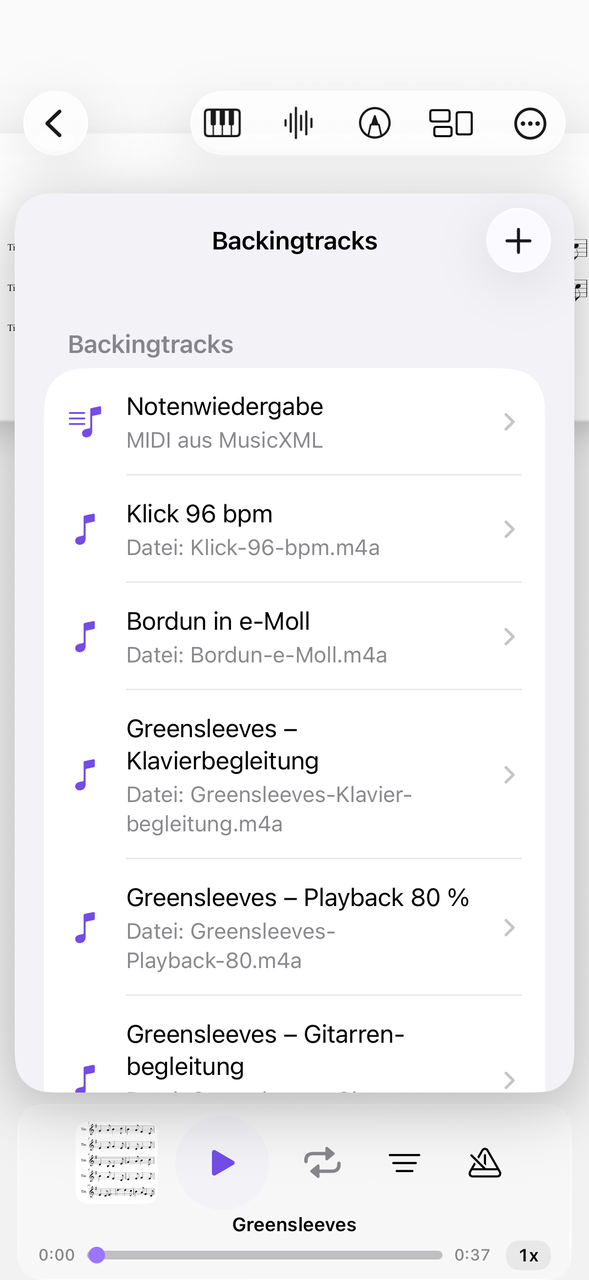
Attach backing tracks to the piece.
If you practice solo pieces, you often play without a band. If you attach an audio file, for example an MP3, to the piece, it runs with tempo and loop. You control playback from the lock screen or with the headphone buttons as well.
Tips in the article Practicing with backing tracks.
Setting up the euphonium
Work out which notation you have.
Check the edition
Is the part in bass clef in C or in treble clef in B♭?
Switch the track
Use transposing to set it to your band's notation.
Practice with the track
Attach a backing track and set a loop for difficult passages.
Tuba, trombone and cornet are related. Everything under brass instruments.
Everything for rehearsal and practice
NovaNota can do more – for your instrument as well as for the whole band, choir or orchestra.
Pen annotations
Fingerings, breath marks, chords: write straight onto the music with the pen – in PDF and MusicXML, with several colors and markers.
Turn pages with your foot
Bluetooth pedals are recognized right away, and a tap on the edge of the page turns it, too. Your hands stay on the instrument.
Metronome and A–B repeat
You set time signature and tempo right on the piece. You practice tricky bars as a loop – NovaNota remembers the range for every piece.
Record yourself
Record your practice right in the app and listen back to how your intonation and tone sound. The recording is automatically attached to the piece.
Rehearsals in the calendar
Orchestra rehearsals, concerts and lessons with meeting point, dress code and program. You can simply subscribe to the calendar of your orchestra, choir or band.
On all your devices
Your library stays up to date via iCloud (on Apple devices), NextCloud or Google Drive – on tablet, phone and Mac, Apple or Android.
Frequently asked questions
In which clef do I write euphonium music?
That depends on the edition. At sounding pitch it is read in bass clef, transposing in treble clef (British brass band). Transposing works with MusicXML and MIDI scores – for each track separately, right in the player.
Does the euphonium have its own setting in the tuner?
No, but automatic mode recognizes every note you play and shows the deviation to the cent.
Can I practice solos with accompaniment?
Yes. You attach audio files to the piece as a backing track, with tempo and loop.
Which devices does NovaNota run on?
On iPhone, iPad and Mac with Apple silicon, as well as on Android phones and tablets. There is a separate app for Apple Watch.
How much does the app cost?
Free for up to three pieces, with no time limit and no account. NovaNota Pro unlocks unlimited pieces and notation editing.
Try it with your own sheet music.
Free for up to three pieces, with no time limit and no account – for Apple and Android.